
Tours Best Practices: Tour Planning
Product Fruits Tours are an amazing way to welcome users, engage your audience, and introduce new features. But what about Best Practices? How do you know if you're utilizing tours effectively?
Here at Product Fruits, we have used our industry knowledge, research, analysis of our own tours, and conversations held between our clients and our Sales and Tech Support teams to compile a list of Best Practices to ensure you get the most out of your Tours.
Product Fruits' Best Practices for Tour Planning
Know Your Goal Before Creating a Tour
Before even beginning to design a tour or getting to know which features Product Fruits tours have, it's important to ask yourself the question: What goal am I trying to achieve with this tour?
Am I...
- trying to welcome new users?
- introducing a new feature?
- directing users to a feature they might be aware of but have not yet adopted?
- trying to fit a niche use case such as redirect my users who are most commonly in our support team's chat or email inbox to find the answers to some of their questions on their own?
 Tip: Knowing your main goal before creating a tour will direct your focus and ensure your tour stays relevant.
One of the biggest mistakes we see clients making is attempting to create one this-will-do-everything tour that is a mix of a welcome tour, a tour for specific roles which won't be applicable to any other type of role, and introduce new features at the same time.
The result? End users get confused, bored, and drop off within the first few steps because the tour is overly complicated, too long, and irrelevant. Meaning all those hours you spent creating and testing this 50-step tour were wasted because most of your users are only viewing the first five steps.
Onboarding best practices consistently show that the most important first step is getting users to their "Aha" moment as soon as possible. Do they need to learn how to use your application? Definitely. But if they do not see the value in it for them, why would they continue using your application at all?
In addition to knowing your goal e.g. Create a Welcome Tour you need to know your audience.
Know Your Audience Before Creating a Tour
It's incredibly important to know your audience before you begin creating tours. Why? Because your users will immediately feel the mismatch between themselves and the content if you don't.
Some questions you may want to ask yourself at this stage are:
- Are my users technical or non-technical?
- What kind of language (formal vs. informal) are they expecting?
- Are they fast-paced or resistant to change?
- Do they log onto my application often? How often? Daily, weekly, monthly?
- What do end users in my industry typically look for in a product and what do they need to know to use mine effectively?
- What languages do my users speak and are there cultural or regional differences I need to be aware of?
Knowing your user base will empower you to create more effective content that actually lands with your users. It is also crucial to be able to differentiate between the different possible roles of your users.
 Note: We cannot stress enough that if a tour is not relevant for the user, they will most likely dismiss it, miss important data, and if they cannot figure out the value of your application on their own, they will eventually churn.
Use Your User Data for Tour Personalization
Since you've already identified your audience and possible ways to segment them, why not include some of that data within your tours?
Of course it might not make sense to present your end users with all the data you use for segmentation, but adding some personalized touches to tours can really go a long way to make your users feel more at home.
Users also love personlization in their tours and other onboarding content. Below are some examples of how you can use the data you collect to personalize the onboarding experience. For more information on how to achieve this, please see our documentation.
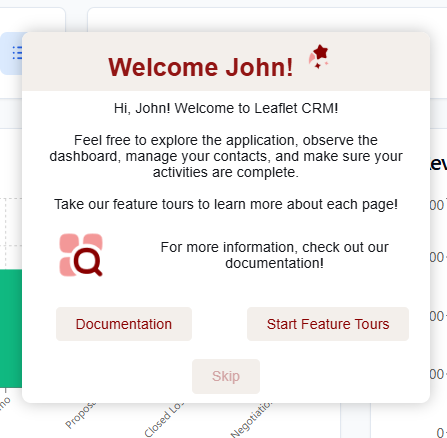
Using First Name to Personalize a Welcome Tour
Using First Name and Role to Personalize a Feature Tour
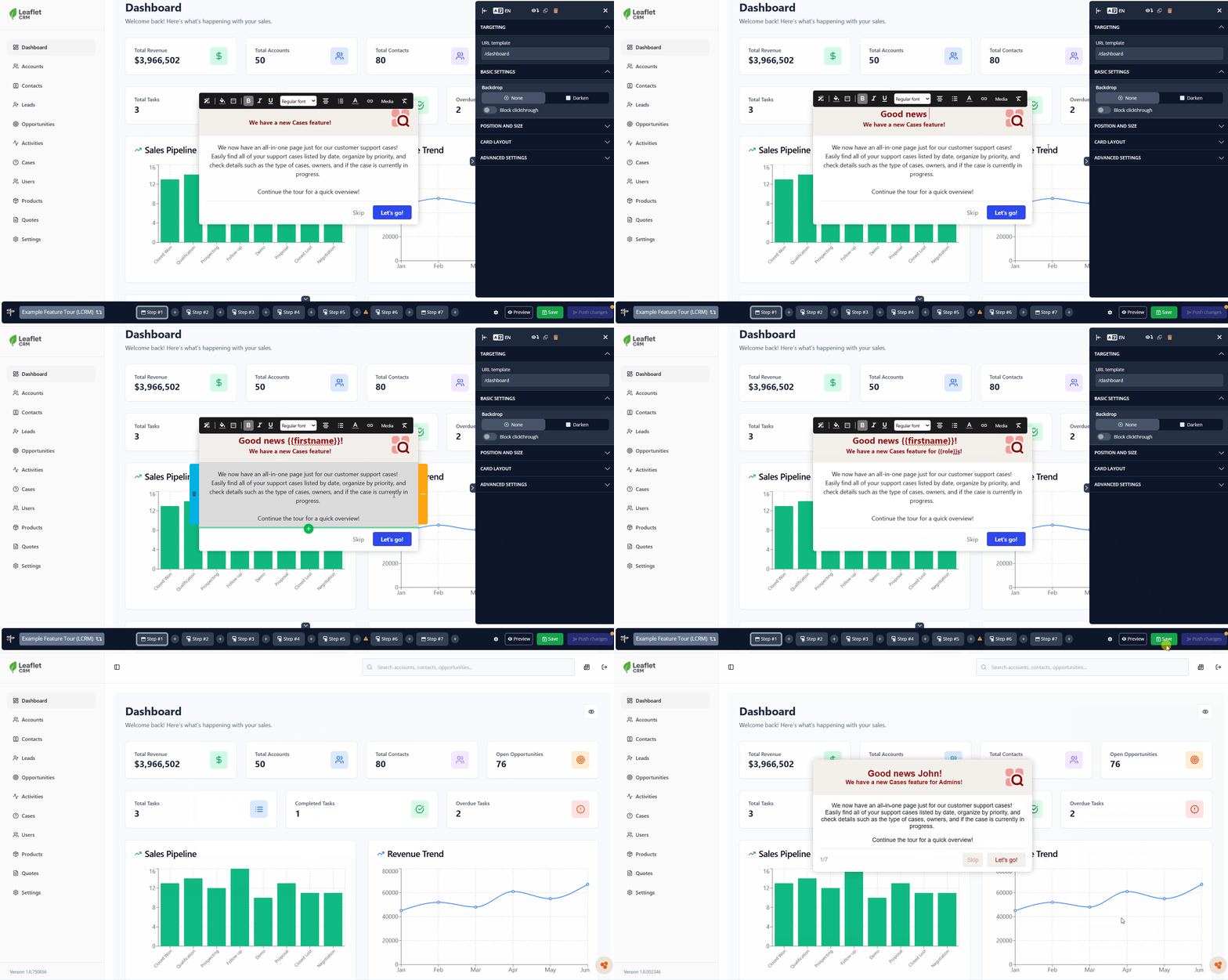
- In order to use the Role property, you must first ensure you are sending Role to Product Fruits. You can check your Tracked Users to see if Role is being sent. If you are not currently sending Role, follow our documentation to add this property to your Product Fruits installation snippet.
-
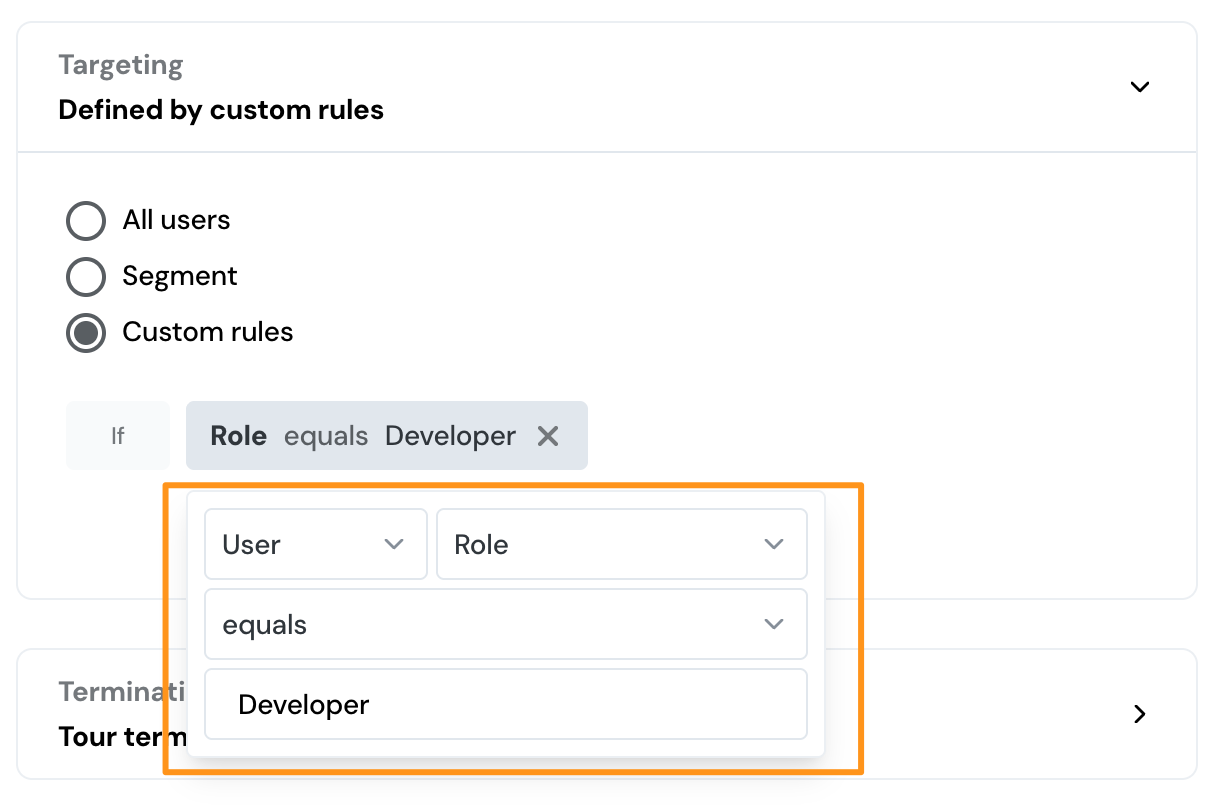
Once you have the Role property set up, simply create a new tour, or open an existing tour. As this tour will be specific to each unique role you are sending, you may want to create a separate tour per role and segment them via a custom rule e.g. If User Role equals Developer:
- Next. write the text {{Role}} where you would like the user's Role to appear. Click Save and Push Changes.
- Check the tour published live for several different user to ensure it is working as expected and voilà - you have a personalized Feature Tour that both greets users by their first name and directs them to a feature specific to their role! Username or any other built in property can be utilized the same way.
For more ideas, check out our Use Cases!
Now that you've put a lot of thought into your user base, it's time to get to know some folks a little closer to home: your developers.
Build a Relationship with Your Developers
Build a relationship with...who? You know, your developers! Those mysterious folks who make your application work? They are also the people who might change your application some day and this can, unfortunately, cause your tours to break.
 Warning: It's crucial to be aware of changes made to your application so you can monitor tours that live on those pages.
It also might be necessary for them to help you Install Product Fruits to your application, send built in or custom properties, or utilize the Product Fruits Tours API in advanced scenarios.
Your developers can also help you to understand ways in which your Product Fruits tours might need to be specifically configured to fit your application. This may include scenarios such as dynamic css selectors, pages that render dynamically, or usage of iframes. While we do believe we can empower anyone to effectively use Product Fruits for tour creation, even in advanced scenarios, we do know it can also be helpful having a skilled technical team member by your side.
Recap
- Know both your goal and your audience before creating a tour
- Use your user data for your personalization
- Build a relationship with your developers