
How to Quickly Get Started with Elvin Copilot
We know how exciting it is! You've just discovered Elvin Copilot, and you're already imagining rolling it out to all your clients tomorrow. But here's the thing: that's actually the worst strategy you could take.
Trust us, we get it. AI feels magical, and Elvin is genuinely impressive. But the difference between a successful Elvin implementation and a disappointing one comes down to one simple formula:
 analyze improve
Set Realistic Expectations
Here's the truth: AI, as magical as it seems, is not endlessly capable. Elvin has boundaries, and understanding them is crucial to your success. Elvin works by searching the relevant sources you provide and synthesizing answers based on what it finds. It's essentially a smarter search and synthesis tool, but it doesn't search the internet, speculate about things like tomorrow's weather, or make up information it doesn't have.
One of the most important things to understand is that Elvin doesn't have long-term memory. Every time someone asks a question, Elvin needs to search through your sources fresh. It doesn't learn on its own over time, and it doesn't remember previous conversations. It's really good at what it does: finding the right information and presenting it clearly, but it's not a magician, and setting your expectations accordingly will save you a lot of frustration down the line.
The Secret Sauce: Your Sources
Your sources are absolutely critical to Elvin's success. We're not exaggerating when we say they represent about 70% of what makes or breaks your implementation. Elvin is only as good as what you teach it, which means you need to manage your sources carefully and intentionally.
You can also upload PDFs directly as sources. While websites are great for real-time changes and keeping information fresh, PDFs are perfect for structured documentation, internal guides, or any materials that aren't published on your website yet.
The biggest mistake teams make is dumping a thousand documents into Elvin at once and expecting it to magically understand everything. That's not how it works. Instead, you need to start small and focused, building up gradually as you understand what works and what doesn't. Think of it this way: you wouldn't hire a new employee and hand them every company document on day one, right? Treat Elvin the same way. Be selective, be intentional, and remember that quality always beats quantity.
Getting Started: The Right Way
Before you dive in, there's some essential pre-work that will set you up for success. First, pick one topic that you want Elvin to handle. This should be a single feature, product area, or subject you know extremely well. Keep it small, resist the temptation to tackle everything at once. Once you've chosen your topic, create a focused document about it, somewhere between one and five pages. This document should be clear, comprehensive, and written in a way that actually answers the questions your users ask.
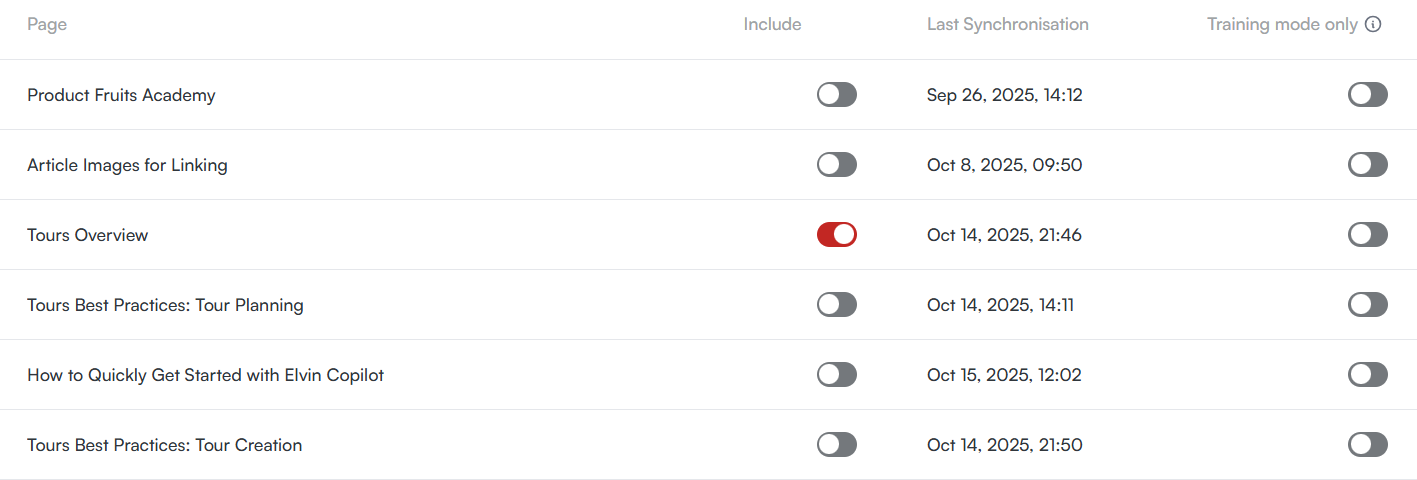
Next, assemble your testing team. This should ideally include a mix of technical writers and client-facing team members who really understand what kinds of questions users ask and what good answers look like. The more diverse perspectives you have, the better your testing will be. Have your team prepare realistic test questions, the kinds of things users would actually ask Elvin about your chosen topic. Divide these questions among team members so everyone has specific scenarios to test.
The Step-by-Step Setup
Once your pre-work is done, it's time to set up Elvin. Start by navigating to the Teach section and go to About your app. This is where you teach Elvin the basics: who they're working for, what your application does, and how to represent your brand. Enter your company name and URL, then hit "Generate." Elvin will create a description based on your website, which you can then edit and refine to make sure it accurately represents your company.
After that, add your first source, a carefully prepared article from your knowledge base. This is your starting point, the foundation everything else builds on. Before you start testing, make sure to define a segment for your testing team only. You absolutely don't want to show Elvin to clients yet. This is your safe sandbox where you can make mistakes, learn, and improve without consequences.
The Testing Phase
Now comes the fun part: testing. Start asking Elvin those questions you prepared, but here's the key, don't be afraid to ask trivial questions at first. In fact, repeat the same question over and over after every change you make. This might feel repetitive, but it's actually the best way to spot what's working and what isn't. When answers aren't satisfactory, simplicity is your best friend. Simple, clear sources lead to simple, clear answers.
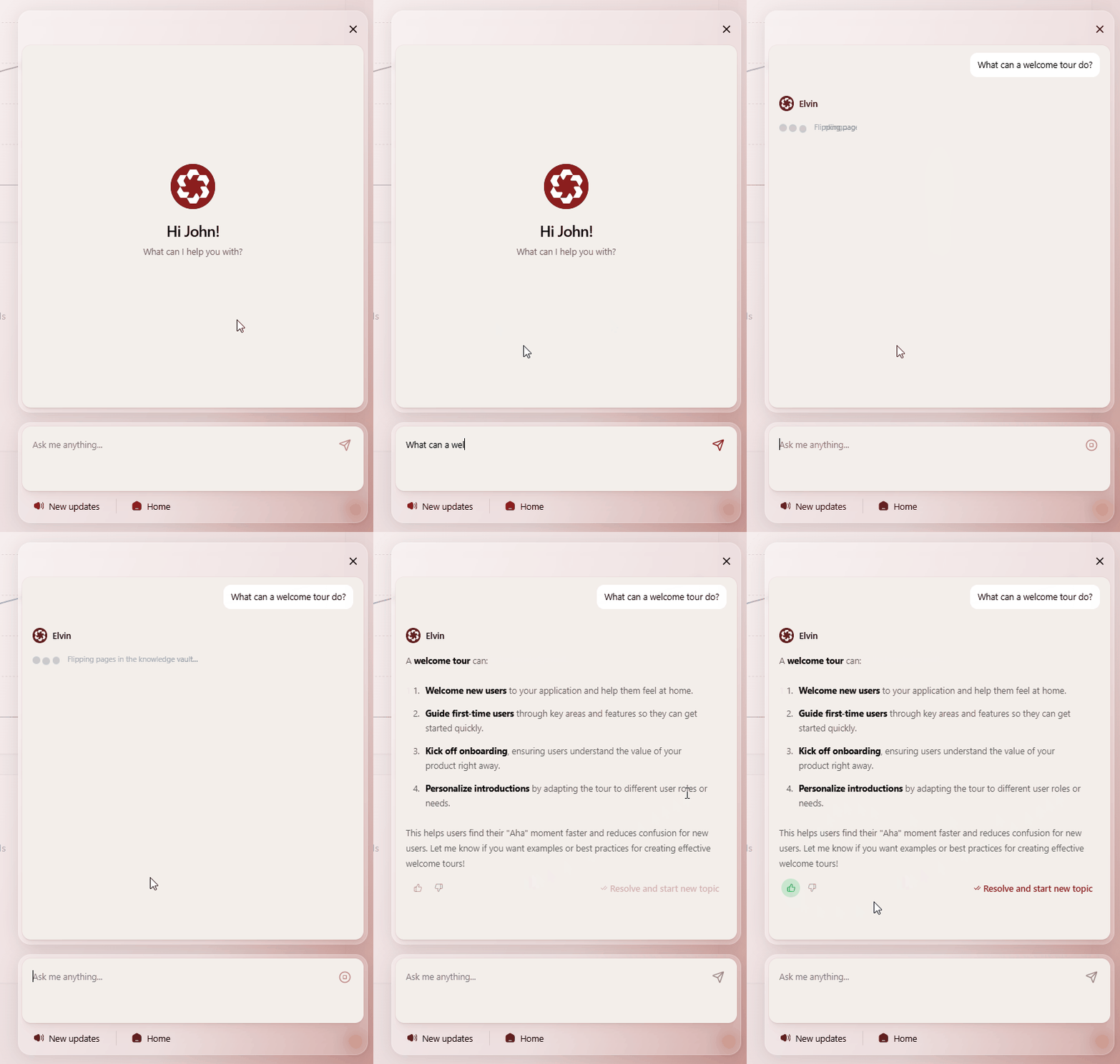
After each round of testing, dive into the analytics. Open up the conversations and check which sources Elvin used to generate its answers. If an answer isn't great, go back and adjust your article, then test again. This cycle of testing, analyzing, and improving is where the magic happens. It's not instant, and it's not always obvious what needs to change, but each iteration gets you closer to where you need to be.
Keep in mind that Elvin cannot read pictures in your sources, so make sure all your important information is in text form. Also, the more people you have testing, the better. Everyone has different expectations and ways of asking questions, and you want to catch as many variations as possible before you go live with real users.
The Golden Rules
There are a few golden rules that separate successful Elvin implementations from disappointing ones.
First and foremost, start small, not with everything at once. Like with anything worth doing, you need to iterate. Don't try to make Elvin an expert on your entire platform in one day. Pick your battles, win them, then move on to the next one.
Second, don't rush to production. Get familiar with Elvin first and understand how it behaves. It doesn't have to be production-ready on day one, and honestly, it shouldn't be. Give yourself permission to experiment and learn without the pressure of client expectations hanging over you.
Third, segment your users carefully. Test with internal teams before going live with clients. You need to understand how Elvin behaves in the wild, what kinds of questions people actually ask, and what the edge cases are. Internal testing gives you this knowledge without risking client satisfaction.
Remember that Elvin knows only what Elvin needs to know. Be intentional about what you teach. More isn't always better—relevant and accurate is better. Every source you add should have a clear purpose and answer specific questions your users have.
Finally, embrace iteration. Each cycle of testing reveals new insights, and that's not a bug—that's the feature. The teams that succeed with Elvin are the ones that understand this is an ongoing process, not a one-time setup.
Final Thoughts
The teams that succeed with Elvin are the ones that treat it like a new team member who needs training, not a magic wand. Take your time. Test thoroughly. Listen to your team's feedback. Adjust your sources based on what you learn. This isn't about getting everything perfect on the first try; it's about building something that genuinely helps your users and improves over time.
Remember: patience at the beginning means success in the long run. So take a deep breath, start with that single topic, gather your team, and build from there. The results will be worth it.
You've got this. Just don't rush it.